Map names and spawns
The start of a map's file name sets its game mode, and its spawn points decide where players spawn. As players make progress, a Co-op map can move the spawn forward through up to five spawn zones, or switch between named spawn sets in any order.
Map name prefixes
The game reads the map name when the map loads, no key sets the mode.
| Prefix | Game mode |
|---|---|
co_ | Co-op, where all players form one team against the monsters and play in rounds until the mission succeeds or fails |
br_ | Battle Royale, where every player fights every other player in rounds and the last player alive wins the round |
bk_ | Bounty Killer, where one player is the Hunted and every other player hunts them |
The prefix must be in lower case, and most other names, such as mymap or CO_mymap, also play as Bounty Killer.
Spawn points
In every game mode, players spawn at info_player_deathmatch entities.
The game starts at a random spawn point of the active zone and takes the first free one from there, a spot with no
other player within 128 units of it. If no spawn point is free, the player spawns at one anyway.
A few more rules decide which spawn points the game uses:
- It skips a spawn point that is at the center of the map,
0 0 0 - It uses a spawn point with a Master only while that master is on
- If the active zone has no spawn point at all, players spawn at an
info_player_start
When a player spawns at a spawn point, the spawn point triggers its Target with that player as the activator, so you can show a message or start an event each time a player spawns.
Spawn zones
A Co-op map can have up to five spawn zones, and each zone has its own class of spawn point:
| Zone | Spawn point class |
|---|---|
| 1 | info_player_deathmatch |
| 2 | info_player_go2 |
| 3 | info_player_go3 |
| 4 | info_player_go4 |
| 5 | info_player_go5 |
Zone 1 is active when the map loads. Each time you trigger a multispawn, the next
zone becomes active, up to zone 5, which then stays active (a multispawn with a Master only works while its
master is on). Players spawn in the new zone from the next round, and players already in the round stay where they
are. A new round doesn't reset the zone, so once a zone is active, it stays active for the rest of the map.
In Battle Royale and Bounty Killer, multispawn does nothing and players always spawn in zone 1.
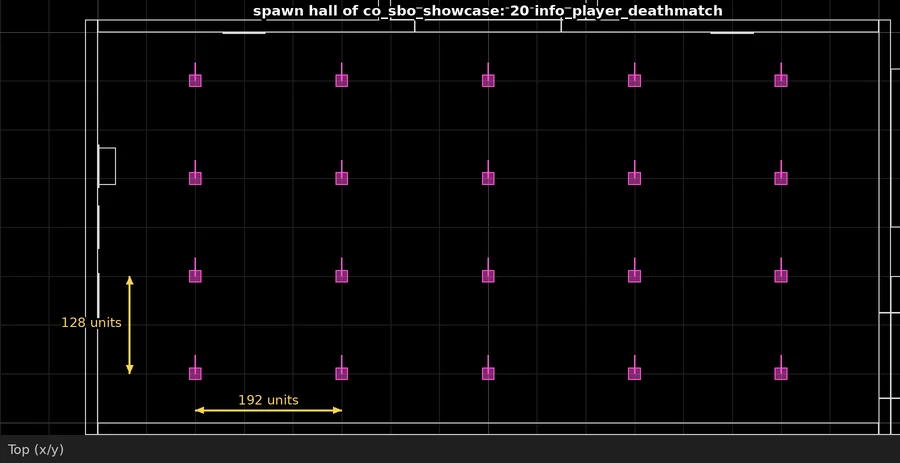
Spawn points in a grid, seen from above
Spawn sets
If five zones in a fixed order aren't enough, you can give spawn points a Name to put them in a spawn set. You
can make as many sets as you want, and a set can have points of all five spawn point classes. Give a
multispawn that name as its Spawn set, and when you trigger it, that set becomes
the active set and players only spawn at its points from the next round. With one multispawn for each set, you can
switch between the sets in any order, for example back to an earlier checkpoint when the players lose an area.
A few rules decide how sets and zones work together:
- A
multispawnwith a Spawn set doesn't move the zone. Amultispawnwithout a Spawn set moves the zone forward and ends the named set, so players spawn in the zone again - While no set is active, players don't spawn at an
info_player_deathmatchwith a name, because it only belongs to its set, unless everyinfo_player_deathmatchon the map has a name. A namedinfo_player_go2toinfo_player_go5is still used in its zone - If no spawn point has the name in Spawn set, players spawn in the active zone, and with
developer 1set in the console, a message says so - A new round keeps the active set, and every map starts with no set active
trigger_changevaluecan change the Spawn set of amultispawnwhile the map runs, so onemultispawncan send the players to different sets
See also
- Co-op - rounds, missions and the other Co-op rules
info_player_deathmatch- the spawn point of zone 1multispawn- moves the spawn on to the next zone or to a named spawn setinfo_player_start- where players spawn when a zone has no spawn point- Briefing - the text that players read before they spawn