env_entity_glow

An env_entity_glow draws an outline or a soft halo around the entities named in its Target Entity, such as
monsters, items, props and brush entities like a func_wall or a door. Every player sees the glow, players who join
later too, and it can show through walls and floors to mark an objective on another floor.
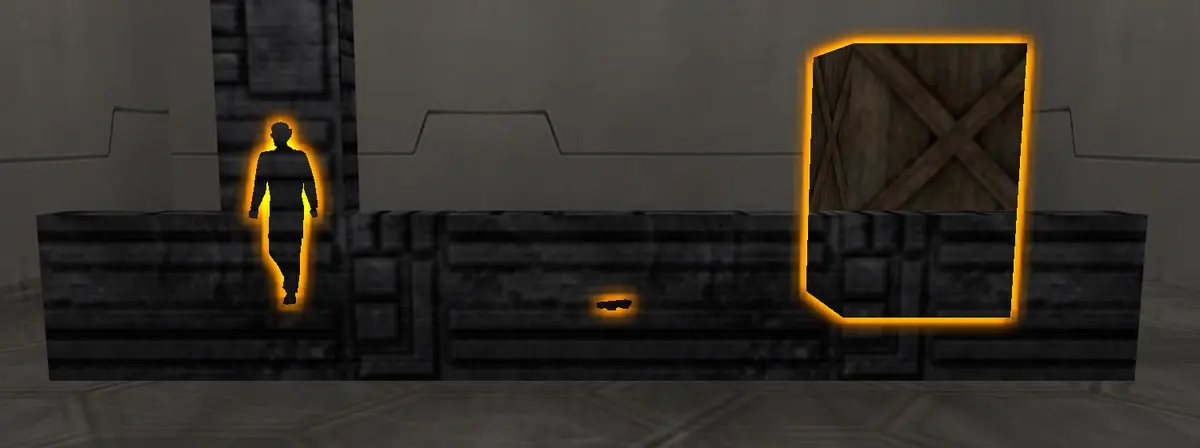
A halo around three targets, also where a wall hides them
Attributes
targetnameTriggering the entity switches the glow on or off, as the use type says. See Common keys.
targetNames the entities that glow, and every entity with this name glows, up to 32 of them. A monster that dies and is removed stops glowing, and a new entity with the name, such as a monster from a monstermaker, starts glowing within half a second. Sprites don't glow.
!all- Every alive monster and every other player in the game, up to the 64 nearest, looked up again every half second, so dead monsters and players drop out. Spectators never glow, and with Only the activator sees it the player who sees the glow doesn't glow
GlowColorSets the color of the glow as red, green and blue from 0 up to 255, and a fourth number from 0 up to 255 for its strength.
- If you leave out the fourth number, the glow has its full strength
255 255 255 255PlayerColorWith the Target Entity !all, sets the color of the players' glow, so players and monsters can have different colors.
If you leave this key empty, players glow in the Glow Color.
durationSets how many seconds the glow stays on each time it turns on, and 0 keeps it on until you turn it off.
0ModeSets where the glow shows.
- Always (0) - Around the whole shape, through walls and floors too
- Only when occluded (1) - Only around the parts a wall or another object hides, through walls and floors too
- Only when visible (2) - Only around the parts the player can see
Always (0)StyleSets how the glow looks.
- Outline (0) - A sharp line along the edge of the shape
- Halo (1) - A soft glow that fades out around the shape
Outline (0)StartDisabledSets whether the glow is off until you trigger it.
- No (0) - The glow is on from the start of the map
- Yes (1) - The glow is off until you trigger it
No (0)Flags
1Only the activator sees itOnly the player who triggers the glow sees it, for example as a reward or a hint for one player. The glow is off until a player triggers it, and when another player triggers it while it is on, it moves to that player
Notes
- A
trigger_changevaluecan change Glow Color, Glow Visibility Mode, Glow Style and Target Entity while the map runs, and every player sees the change at once - The glow never covers the target itself, only the space around it
- Players who use the software renderer don't see glows
- A target that the game draws invisible or nearly invisible, such as a cloaked Assassin, doesn't glow
See also
- Entity glow - how to mark an objective with a glow
env_render- changes the render settings of other entities
Changes since 1.38
env_entity_glowdraws an outline or a soft halo around models and brush entities, also through walls and floors, to mark an objective or anything else players should find