trigger_objective

A trigger_objective puts a mission objective on every player's HUD. The objectives show in a panel at the top left
of the screen and in one line at the bottom of the scoreboard, and a short notice slides in when an objective becomes
active or is completed.
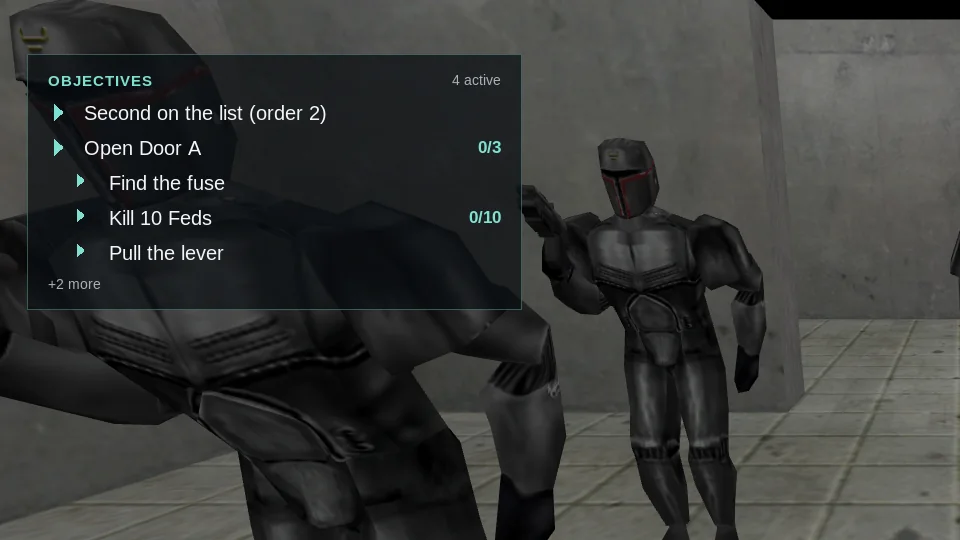
The objective panel with a group of three parts
Each trigger moves the objective to its next step, so the buttons, relays and monster deaths that run your map also
run its objectives. A hidden objective becomes active on its first trigger and is completed on the next one. With a
Counter target, each trigger adds one to the count (1/10, 2/10 and so on), and the objective is completed when
the count is reached. When the objective is completed, it fires its Target.
Attributes
The entity also has these common keys:
- Naming and triggering: Name and Master
messageSets the text in the panel, with up to 127 characters. You can also use #NAME for the message NAME in titles.txt, and its line breaks become spaces.
stateSets how the objective starts.
- Hidden (0) - It doesn't show until its first trigger
- Active (1) - It shows from the start
- Completed (2) - It shows as done
Hidden (0)orderObjectives with a number show first, in the order of their numbers. Objectives with 0 show after them, in the order they became active. Parts under a group use the same order.
0partofNames another trigger_objective, so this one becomes a part of that group. See Groups for more details.
countSets a count, up to 255, and each trigger adds one to it. The objective is completed when it reaches this count, and 0 means no counter. A group ignores this key.
0targetFires when the objective is completed, with the activator of the trigger that completed it.
Flags
1SilentNo notice and no sound when the objective becomes active or is completed
2Reset on new roundEach new round puts the objective back to its state at map start, with its counter at 0. Without this flag, an objective keeps its state through Co-op round restarts, like the rest of the map
How a trigger moves it on
Any trigger works, such as a button, a trigger_relay, a multi_manager or a
monster's TriggerTarget.
| State | What a trigger does |
|---|---|
| Hidden, without a counter | It makes it active, with the notice NEW OBJECTIVE |
| Hidden, with a counter | It makes it active and counts this trigger, as 1/N |
| Active, without a counter | It completes it, with the notice OBJECTIVE COMPLETE, and fires its target |
| Active, with a counter | It counts one up, and at the count, the objective is completed and fires its target |
| Completed | Nothing |
Groups
Objectives whose Part of names the same trigger_objective are the parts of that group. The group shows its parts
under it with how many are done, such as 1/3, and it completes itself, with its notice and its target, once all its
parts are completed. A group and its parts show together: when the group becomes active, its hidden parts appear,
and when a part becomes active, its hidden group appears with one NEW OBJECTIVE notice. When a group is active, a
trigger on the group does nothing, because only its parts complete it.
Groups have only one level. If a part names another part, or names something that isn't a trigger_objective, the
game lists it by itself and writes a line in the console.
What players see
The panel has three modes, and each player switches between them with the objectives key (Default: H):
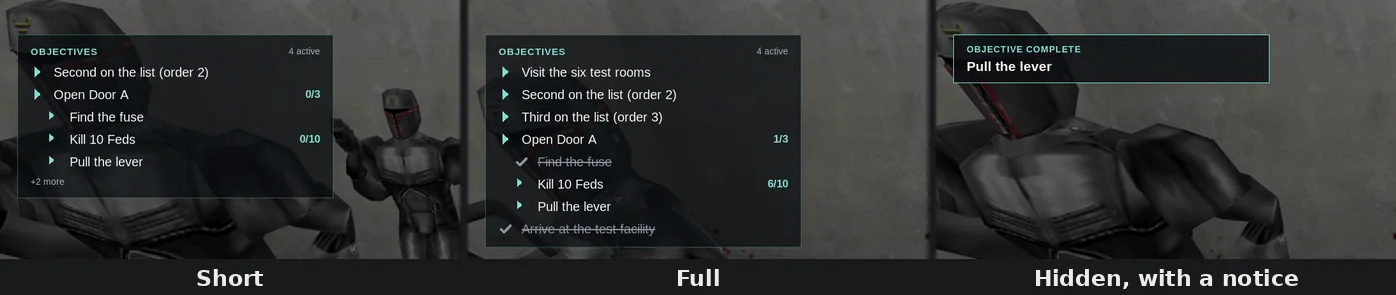
The objective panel short, full, and hidden with a notice
- Short, the default, shows the active objectives with their parts on up to five lines, and the rest as
+N more. A completed objective stays ticked for four seconds and then fades out - Full shows every active objective with all its parts, and then the completed ones
- Hidden shows no panel, but the notices still appear
When an objective becomes active or is completed, a notice slides in under the panel for about three seconds, with the tutor message sound. NEW OBJECTIVE has an amber edge and OBJECTIVE COMPLETE has a teal edge. A completed line is ticked, struck through and grayed, and then it fades out of the short panel:
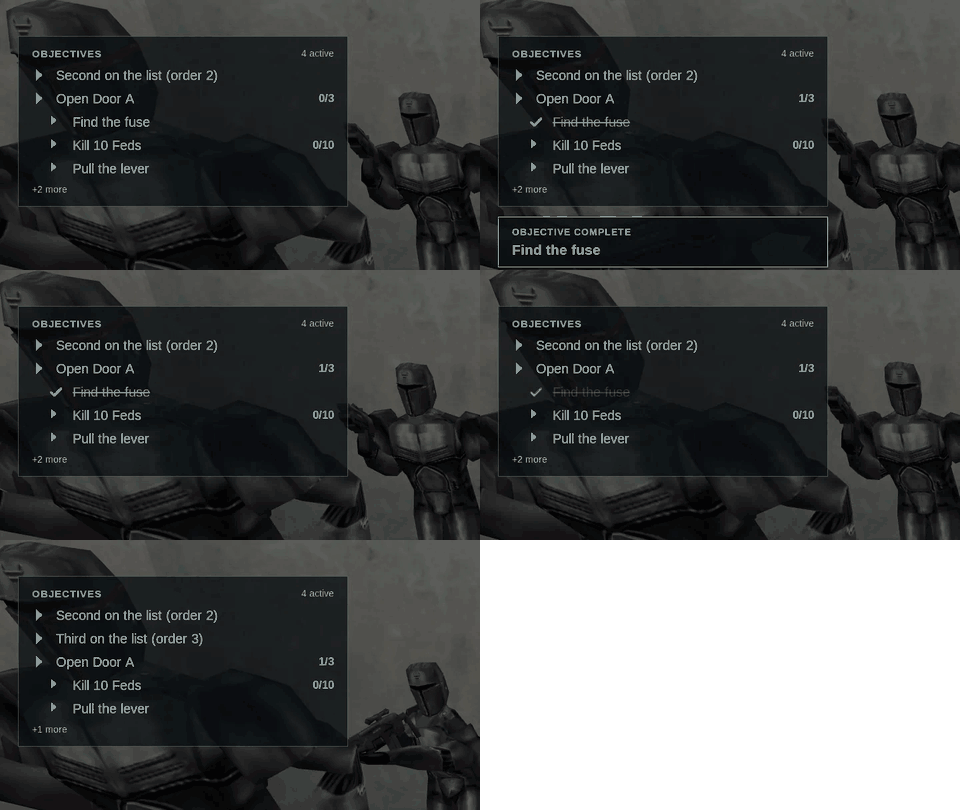
An objective complete notice under the panel
On the scoreboard, a line under the players shows how many objectives are done and which one is next. If the scoreboard's mouse is on, a click on the line opens the full list over the players.
The objective line of the scoreboard
Everyone sees the same list, and players who join later, spectators and demos get the list as it is at that moment.
The panel and the notices hide with the rest of the HUD, for example during a trigger_camera
with Hide HUD and crosshair. Players set the panel with the setting
hud_objectives.
Notes
- While the Master is locked, the entity ignores triggers
- A map can have up to 32 objectives, parts included. When the map starts, the game removes the objectives above 32 and writes a line in the console for each
- A
func_buttonthat feeds amultisourcemaster only unlocks it while the button is pressed in, as in Half-Life
See also
game_timer- a countdown on the HUDenv_tutorandgame_text- messages to the players
Changes since 1.38
trigger_objective: shows mission objectives in a panel on the player's screen, which players can switch between short, full and hidden with H. On maps that use it, the scoreboard also gets an objectives section that players can expand and collapse