Message boxes
Message boxes open a window in the middle of a player's screen with your text, a Close button and, if you give it
one, a title. A game_messagebox opens the box when you trigger it. The box stays
open until the player closes it, or with an Autoclose distance set, until they walk away from it.
The spawn hall of co_sbo_showcase has an "about" box like this one.
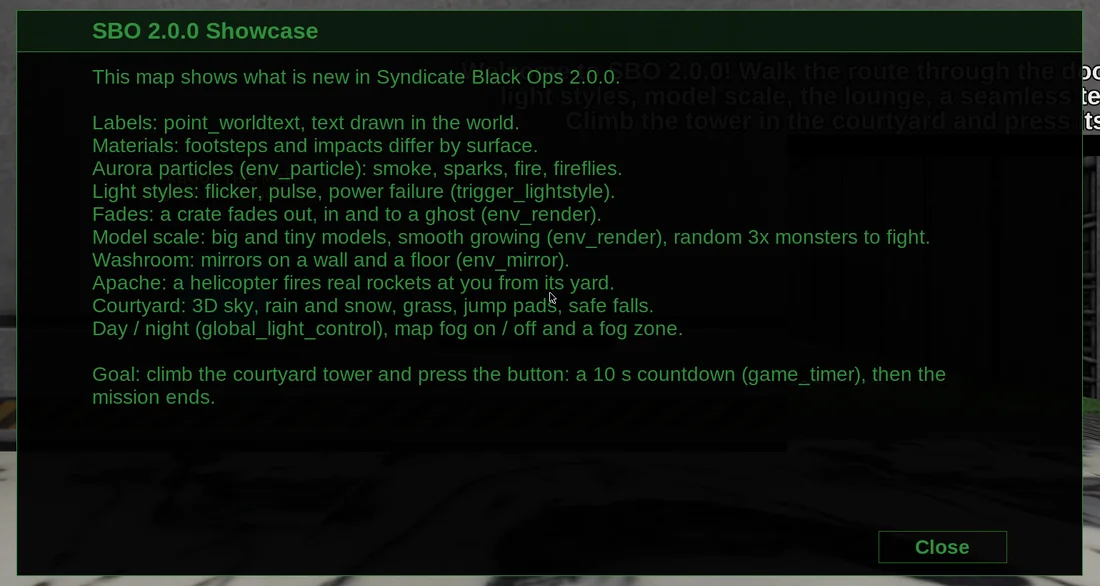
A message box in-game
Keys
| Key | Description | Default |
|---|---|---|
Titletitle | One line of text in the title bar of the box. If you leave it empty, the box has no title bar. Write a #Token to show the text of an entry in titles.txt or in a language file of the game | |
Textmessage | The text in the box, up to 1023 bytes. Write \n to start a new line, or write a #Token to show the text of an entry in titles.txt or in a language file of the game. If you leave it empty, the box never opens | |
Autoclose distancedistance | How far, in units, a player can be from Autoclose position before the box closes. If you leave it at 0, the box closes only when the player closes it | 0 |
Autoclose positionposition | The point that Autoclose distance is measured from, as x y z map coordinates or as the name of an entity. If you leave it empty, it is the game_messagebox itself |
Flags
- All Players (1) - The box opens for every alive player, not only for the activator
Who sees the box
When you trigger the entity, the box opens for the activator, which is the player who started the chain of triggers. If you set All Players, it opens for every alive player. A box that is already open for a player doesn't open a second time for that player, and bots never get boxes.
If you set an Autoclose distance, the box belongs to a place. It doesn't open for a player who is farther than
that distance from the position, and it closes when the player walks farther away. With developer 1 set in the
console, the console tells you when a box didn't open because the player was too far away.
While a box is open
The player closes the box and scrolls its text with these keys:
| Key | What it does |
|---|---|
| The Close button, Enter or primary attack | Closes the newest box |
| Mouse wheel | Scrolls the text by one line |
| Page Up or Page Down | Scrolls the text by one page |
While a box is open, it takes the mouse cursor. The player can still walk, but can't aim, change weapons or use secondary attack. A text that doesn't fit in the box gets a scroll bar. The open boxes of a player stay open when the player respawns and when a new round starts.
Notes
- A player can have up to 8 boxes open at the same time, and a ninth box closes the oldest
- Boxes stack with the newest box on top, and the newest box closes first
Changes since 1.38
game_messageboxis new in SBO 2.0.0
See also
game_messagebox- the entity page- Tutor messages - short hints in a corner of the screen
game_text- text on the HUD that fades out automatically