Lights on models
Three entities change how models are lit while the map runs: a dynamic light, a light for models only, and a marker that a model takes its lighting from. Without them, a model such as a monster, a player or a prop takes its light from the compiled lightmap of the floor under it.
| Entity | What it lights |
|---|---|
env_dlight | A dynamic light, which lights the walls, the floor and the models around it |
env_elight  | An entity light, which lights only the models around it |
info_light_origin | A marker, not a light: a model can take its lighting from this marker instead of the floor under it |
env_dlight or env_elight?
env_dlight | env_elight | |
|---|---|---|
| What it lights | The walls, the floor and the models, so you see a glow around it | Only models, so the walls and the floor stay as they are |
| Cost | Higher, because in every frame the engine calculates the lighting of the walls and floor that it reaches again | Lower, because it lights only the models near it, point by point |
| Reach | Its radius | Full strength up to its radius, and in the dark still visible at 6 to 7 times the radius. Walls don't block it |
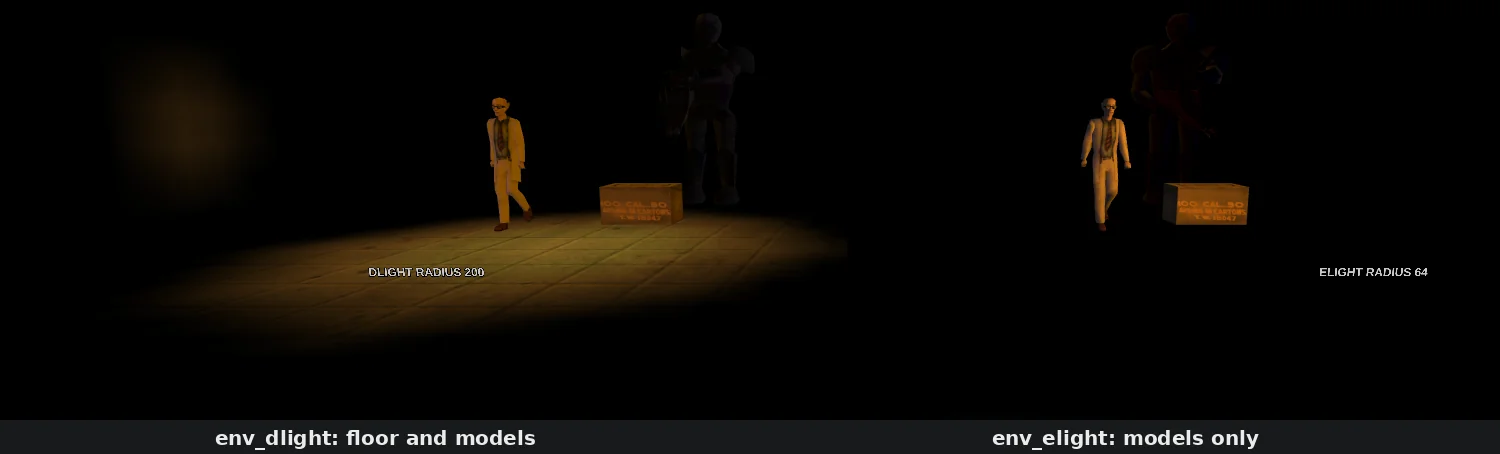
An env_dlight on the left and an env_elight on the right
You switch both lights on and off with triggers. They can stay on for a set time, and they can move with a moving
entity. An env_elight lights a model from the direction of the light, so the side that faces the light gets its
color. It can follow an entity and one of the attachments of its model, for example the hand of a monster. The
attachments of a model come from its QC file. See
the QC guide on the303.org for more details.
If you leave Radius empty, it is 80 units for an env_dlight and 64 units for an env_elight. If you leave
Light color empty, it is white for both.
Each player's game has 32 dynamic lights and 64 entity lights, and it shares them with muzzle flashes, rockets and other effects.
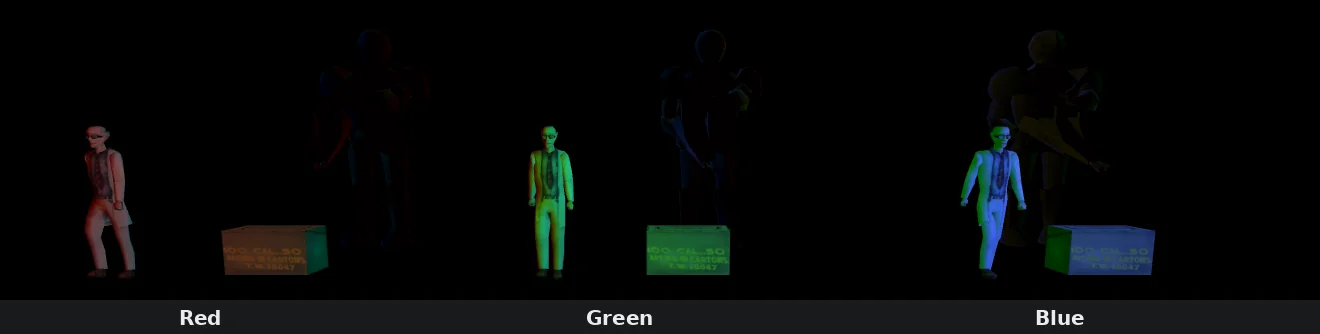
Scientists lit red, green and blue by three env_elight
A yellow env_elight follows a moving func_train and lights the scientists it passes
Light origins
A model that stands under a ledge, half inside a wall, or on a dark spot of a bright room looks dark. This is because
the engine lights it from the floor directly under its origin. To correct this, put an info_light_origin where the
light is correct. Then give the model the key Light origin with the name of the marker, and the model is lit as
if it stood there.
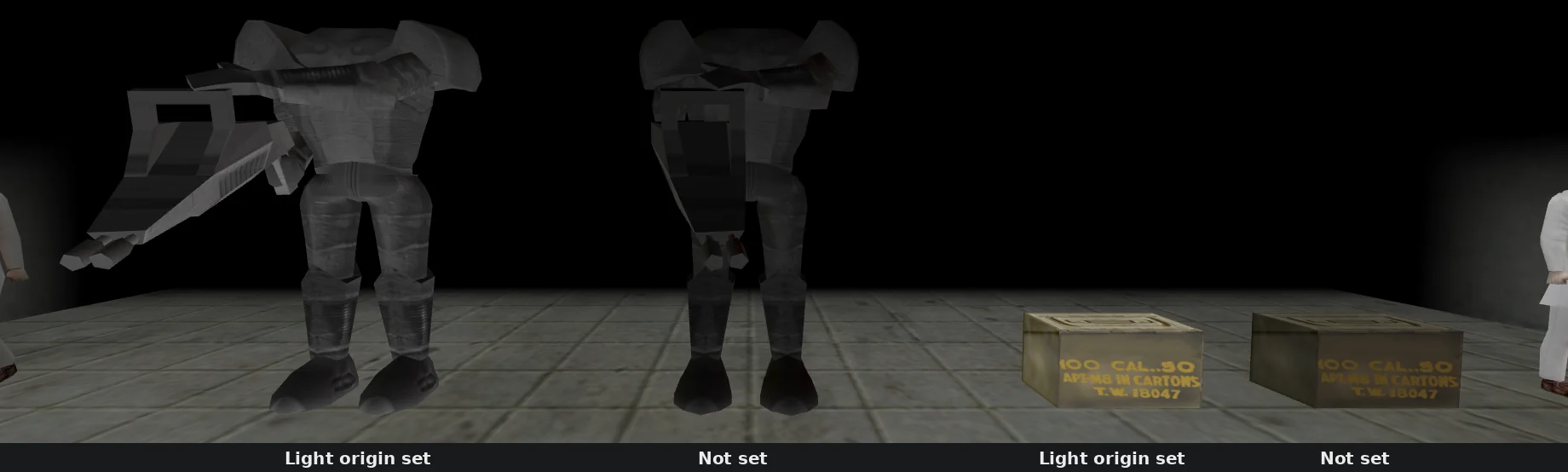
Models lit from a light origin in another room, next to unlit copies
The editor shows the key on env_model, env_static,
monster_furniture and cycler, and other entities
with a model also accept it. Up to 512 entities in a map can have the key. Brush entities get their light when the map
is compiled, so for them, use the key Light Origin Target of the compile tools.
Changes since 1.38
env_dlightis new in SBO 2.0.0env_elight: a dynamic light that lights models onlyinfo_light_origin: a model takes its lighting from this marker instead of beneath its origin
See also
- Light styles - flickering and switchable lights
- Props, models and fades - models as scenery